Final Animation

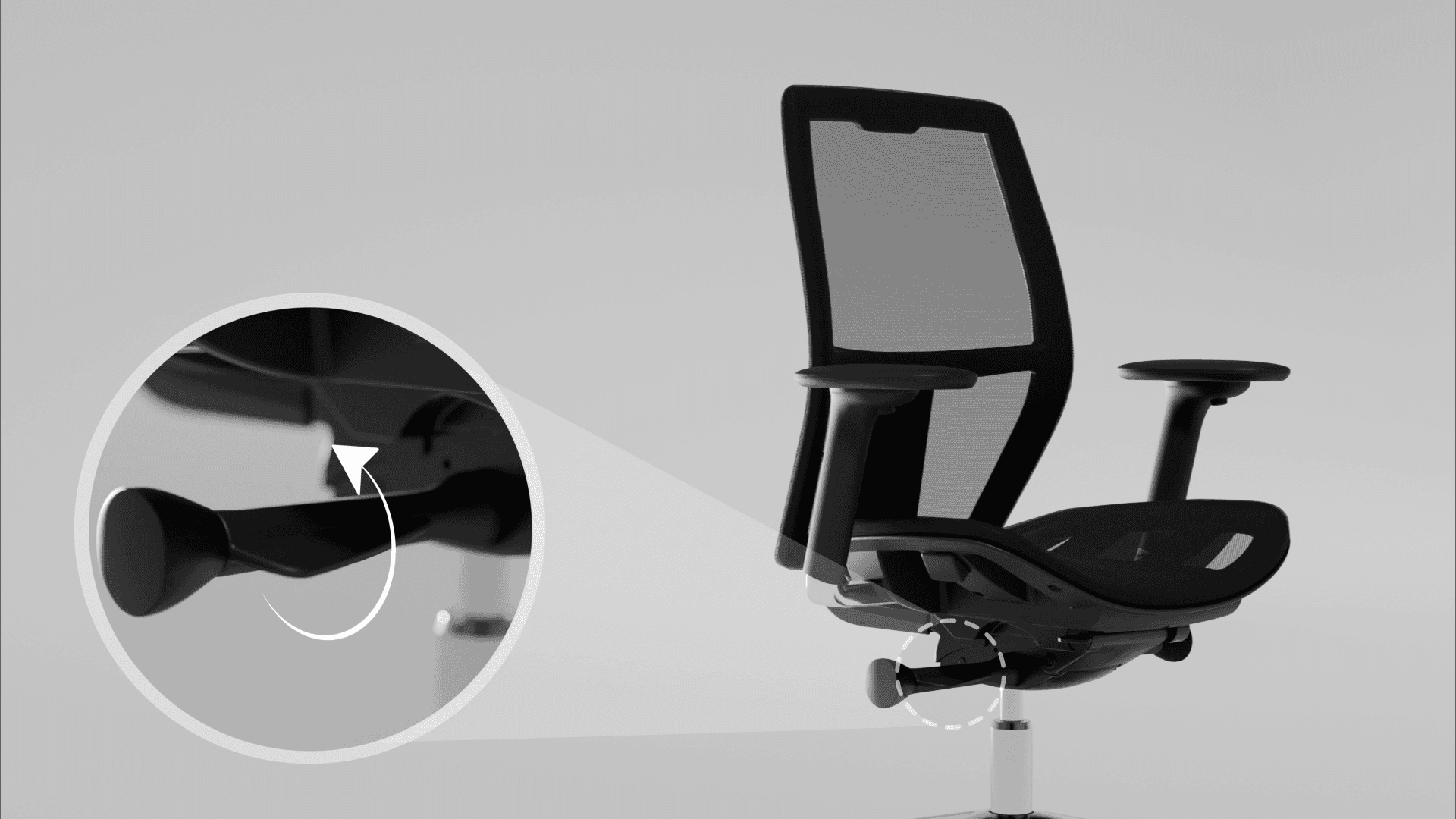
The final animation shows how to use and adjust the chair clearly and effectively. The updated version also shows armrest settings and the attachable headrest.

Planning

I made a moodboard and storyboard to clearly communicate the end goal with the client. This helped guide me when making the video, and the client could give me feedback before the production phase started.

Planning

I made a moodboard and storyboard to clearly communicate the end goal with the client. This helped guide me when making the video, and the client could give me feedback before the production phase started.

Motion preview

To communicate with my client I quickly made a motion preview so we could agree on how we wanted the video to look like.
Animating

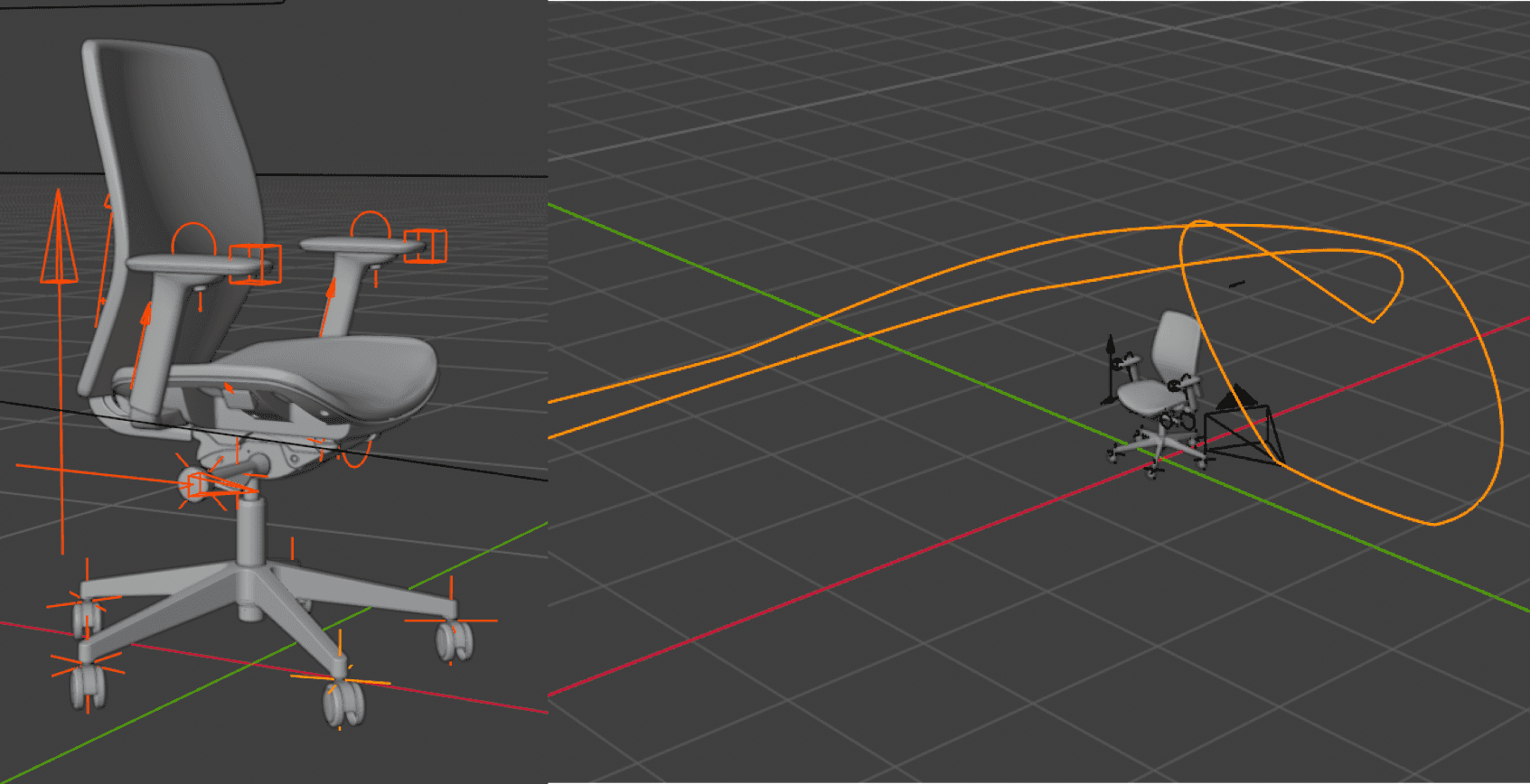
I rigged the model by parenting the parts to empties. The camera has a follow path constraint to create a dolly effect. In order to bend the backrest, I used the simple deform modifier. This worked very well since it only had to bend slightly, and saved me time by not having to rig it with bones. I added all 2D elements in After Effects, and synced the movement with the graph editior.

Animating

I rigged the model by parenting the parts to empties. The camera has a follow path constraint to create a dolly effect. In order to bend the backrest, I used the simple deform modifier. This worked very well since it only had to bend slightly, and saved me time by not having to rig it with bones. I added all 2D elements in After Effects, and synced the movement with the graph editior.

Time management

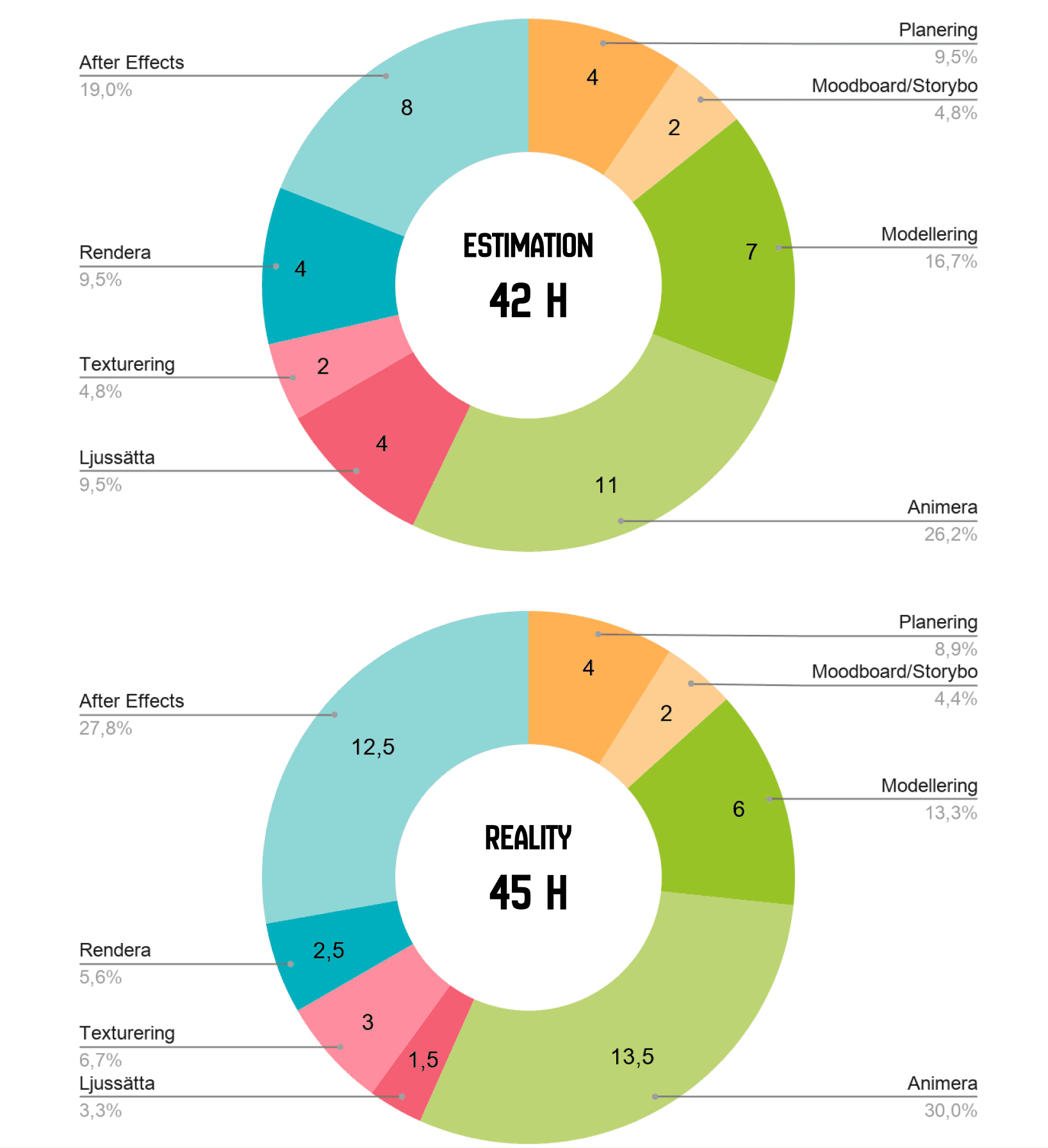
I came quite close in my estimation of how long this project would take, although animating and After Effects took a bit longer than expected.

Time management

I came quite close in my estimation of how long this project would take, although animating and After Effects took a bit longer than expected.

Create a free website with Framer, the website builder loved by startups, designers and agencies.